






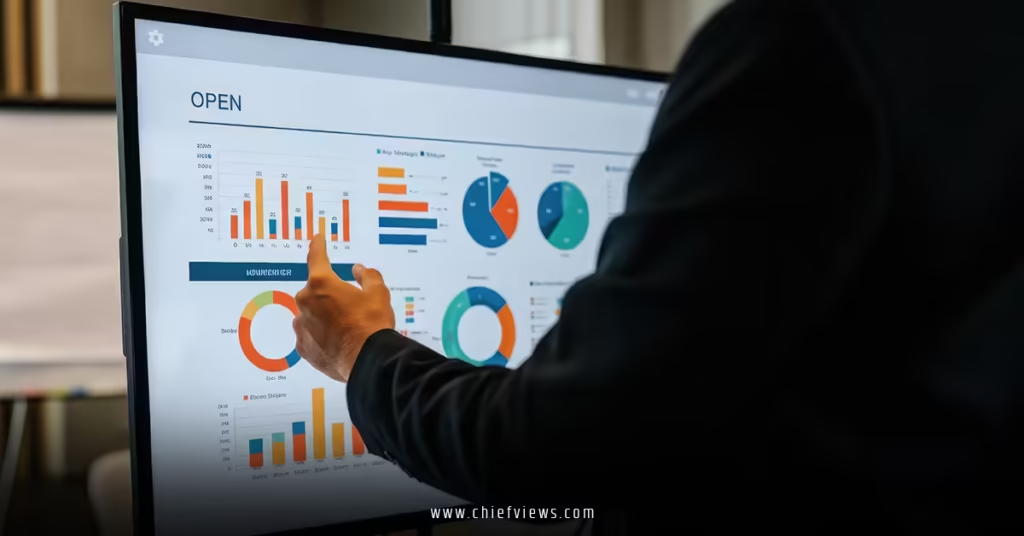
CEO dashboard best practices start with one brutal truth: Most executive dashboards are glorified vanity projects that look impressive in board meetings but provide zero actionable intelligence. You’ve probably seen them—50 colorful charts that tell you everything except what you actually need to know.
Here’s what separates world-class CEO dashboards from expensive screensavers:
• Real-time data integration that updates automatically without manual intervention • Visual hierarchy that draws your eye to the most critical metrics first
• Actionable insights with built-in alerts and threshold notifications • Mobile optimization so you can monitor performance anywhere, anytime • Drill-down capability from high-level trends to granular operational details
The best CEOs I know can make million-dollar decisions in under 60 seconds because their dashboard tells the whole story at a glance. No hunting through spreadsheets. No waiting for reports.
Why CEO Dashboard Best Practices Matter More Than Ever
CEO Dashboard Best Practices:Think of your dashboard like air traffic control for your business. Controllers don’t stare at every plane in the sky—they focus on the ones that need immediate attention and the patterns that predict future problems.
The stakes are higher now. Markets move faster, customer expectations shift overnight, and competitive advantages evaporate in quarters instead of years. CEOs who rely on monthly reports are flying blind in a world that changes daily.



According to MIT Sloan Management Review, companies with data-driven leadership are 23% more likely to acquire customers and 19% more likely to be profitable.
Here’s what changed the game: Real-time data isn’t a luxury anymore—it’s survival equipment. Your dashboard should feel less like a report and more like a radar system.
Essential Design Principles for Executive Dashboards
The 5-Second Rule
Your dashboard should answer three critical questions within 5 seconds of opening:
- Are we healthy today?
- What needs immediate attention?
- What trends are developing?
Everything else is noise.
Visual Hierarchy and Information Architecture
Top Third: Health Check Lead with your North Star metric and overall business health indicators. Think traffic light system—green means cruise control, yellow means pay attention, red means drop everything.
Middle Third: Performance Drivers Display the metrics that directly influence your North Star. These are your CEO KPIs and performance metrics that matter—the ones that predict future performance.
Bottom Third: Context and Detail Trends, comparisons, and drill-down options live here. Important for analysis, but secondary to immediate decision-making needs.
Color Psychology for Decision Making
Use color intentionally, not decoratively:
- Red: Immediate action required
- Yellow/Orange: Attention needed, trend developing
- Green: Performing well, maintain course
- Blue/Gray: Neutral information, context only
| Dashboard Section | Primary Purpose | Key Metrics | Update Frequency |
|---|---|---|---|
| Health Check | Immediate status | Revenue, cash, critical alerts | Real-time |
| Performance Drivers | Trend analysis | Growth rate, customer metrics, team KPIs | Daily |
| Market Context | Competitive positioning | Market share, industry benchmarks | Weekly |
| Operational Detail | Deep-dive analysis | Department-specific metrics | As needed |
Technical Architecture and Data Integration
Real-Time Data Requirements
API-First Approach Your dashboard should pull data automatically from source systems. Manual data entry is where accuracy goes to die, and by the time you update it, the information is already stale.
Data Validation and Quality Checks Build in automatic data quality monitoring. Flag anomalies, missing data, or suspicious patterns before they corrupt your decision-making.
Platform Selection Criteria
Native Business Intelligence Tools Tableau, Power BI, and Looker dominate enterprise dashboards for good reason. They handle complex data modeling and offer robust visualization options.
Specialized Executive Dashboard Solutions Klipfolio, Geckoboard, and Cyfe focus specifically on executive-level reporting with better mobile optimization and simpler setup.
Custom Development Considerations Only go custom if you have unique data sources or specific workflow requirements that off-the-shelf solutions can’t handle.
Mobile Optimization Imperatives
Your dashboard must work perfectly on mobile devices. Period. CEOs don’t sit at desks all day, and critical decisions often happen during travel, meetings, or off-hours emergencies.
Responsive Design Elements:
- Touch-friendly navigation
- Readable fonts at mobile sizes
- Simplified layouts that prioritize critical information
- Fast loading times even on poor connections
Core Metrics Selection and Organization
Financial Performance Cluster
Primary Financial Health Indicators Start with cash position, revenue run rate, and burn rate. These three metrics tell you if you’re building a sustainable business or heading toward a cliff.
Secondary Financial Metrics Gross margins, operating expenses as percentage of revenue, and accounts receivable aging provide operational context without cluttering the primary view.
Customer Success Metrics Group
Customer Health Score Composite Combine product usage, support ticket volume, payment history, and engagement scores into a single health indicator. This predicts churn before customers even consider leaving.
Growth Metrics That Matter New customer acquisition rate, expansion revenue from existing customers, and customer lifetime value trends show whether you’re building momentum or just maintaining status quo.
Operational Excellence Indicators
Team Performance Metrics Employee satisfaction scores, key role fill rates, and productivity measures per department. Your people execute your strategy—their health determines your success.
Process Efficiency Tracking Cycle times for key business processes, error rates, and automation adoption levels. Efficiency gains compound over time and create sustainable competitive advantages.
Advanced Dashboard Features for Competitive Advantage
Predictive Analytics Integration
The best CEO dashboards don’t just show what happened—they predict what’s coming next. Integrate machine learning models that forecast revenue, identify at-risk customers, and predict staffing needs.
Leading Indicator Development Track metrics that change before your primary KPIs move. Pipeline velocity predicts revenue. Support ticket sentiment predicts churn. Employee engagement scores predict productivity.
Competitive Intelligence Overlays
Embed competitive data alongside internal metrics. Track competitor pricing changes, hiring patterns, product releases, and market share movements in context with your performance.
Scenario Modeling Capabilities
Build in “what-if” analysis tools. Model different growth rates, cost structures, or market conditions to understand decision implications before committing resources.
Step-by-Step Implementation Guide
Phase 1: Requirements Gathering (Week 1-2)
- Stakeholder interviews – Survey your executive team about information needs
- Current state analysis – Audit existing reports and identify gaps
- Data source inventory – Map all systems that contain relevant business data
- Success criteria definition – Establish specific goals for dashboard adoption
Phase 2: Design and Development (Week 3-6)
- Information architecture creation – Design the logical flow and hierarchy
- Visual mockup development – Create non-functional prototypes for feedback
- Data pipeline construction – Build automated connections to source systems
- Testing and validation – Verify accuracy and performance under load
Phase 3: Deployment and Adoption (Week 7-8)
- Pilot testing with core team – Validate functionality with heavy users
- Training and documentation – Ensure everyone knows how to interpret metrics
- Feedback collection and iteration – Refine based on actual usage patterns
- Full rollout and monitoring – Deploy broadly and track adoption metrics
Phase 4: Optimization and Evolution (Ongoing)
- Usage analytics review – Identify most/least valuable dashboard sections
- Metric relevance assessment – Remove outdated KPIs, add emerging ones
- Performance optimization – Improve loading times and responsiveness
- Advanced feature addition – Layer in predictive analytics and automation
Common Dashboard Implementation Pitfalls
Information Overload Syndrome More charts don’t equal better decisions. Start minimal and add metrics only when they drive specific actions. If you can’t explain why a metric matters in one sentence, cut it.
Perfection Paralysis Don’t wait for perfect data quality or complete feature sets. Launch with core functionality and iterate based on actual usage. Perfect dashboards that take six months to build are useless for three months.
Static Design Thinking Your business evolves, so should your dashboard. Build in flexibility to add new metrics, modify calculations, and adjust layouts without complete rebuilds.
Training and Adoption Neglect The most beautiful dashboard is worthless if your team doesn’t use it. Invest in training, create usage documentation, and establish review cadences that make dashboard consultation habitual.
Research from Gartner shows that 87% of senior business leaders say analytics and business intelligence are critical for their organizations, yet only 29% report being data-driven in their decision-making processes.
Access Control Oversights Balance security with accessibility. Overly restrictive permissions kill adoption, while too-loose access compromises sensitive information. Design role-based access that matches actual decision-making hierarchies.
Industry-Specific Dashboard Considerations
Technology Companies
Focus on product usage metrics, development velocity, and customer acquisition cost trends. Technical debt indicators and system performance metrics often predict business performance better than traditional financial ratios.
Retail and E-commerce
Inventory turnover, seasonal trend analysis, and customer segmentation performance drive success. Real-time sales data and supply chain indicators need prominent placement.
Professional Services
Utilization rates, project profitability, and client satisfaction scores determine sustainability. Resource allocation efficiency and pipeline conversion rates predict future performance.
Manufacturing
Production efficiency, quality metrics, and supply chain reliability form the foundation. Safety indicators and regulatory compliance status require constant monitoring.
Key Takeaways: CEO Dashboard Best Practices
• Simplicity trumps completeness – Start with 5-7 critical metrics and expand only when necessary • Real-time data beats perfect data – Automated updates with 90% accuracy outperform manual reports with 100% accuracy • Mobile optimization is non-negotiable – CEOs need access anywhere, anytime, on any device • Visual hierarchy guides attention – Use color, size, and positioning to highlight what matters most • Predictive metrics outvalue historical ones – Leading indicators help you steer, lagging indicators just tell you where you’ve been • Integration beats aggregation – Pull data automatically from source systems rather than manual compilation • Iteration improves adoption – Launch basic functionality quickly, then refine based on actual usage patterns • Training drives value realization – The best dashboard is worthless if your team doesn’t understand how to interpret and act on the insights
Conclusion
CEO dashboard best practices aren’t about creating the prettiest visualizations or tracking the most metrics. They’re about building a decision-making accelerator that helps you spot opportunities and threats before your competition even knows they exist.
The executives who dominate their markets don’t have more data—they have better organized, more actionable data that drives faster, more accurate decisions. Your dashboard should feel less like a report and more like a competitive weapon.
Start simple. Focus on metrics that directly influence your business model. Build in real-time updates and mobile access. Then iterate based on how you actually use the information.
The companies that win aren’t necessarily the smartest or best-funded. They’re the ones that can see around corners and act on information faster than everyone else.
Your dashboard is how you see around corners.
Frequently Asked Questions
Q: How many metrics should a CEO dashboard include following best practices?
A: Start with 5-7 core metrics maximum on your primary view. You can organize additional metrics in secondary views or drill-down sections, but your main dashboard should answer critical questions within 5 seconds.
Q: What’s the difference between CEO dashboard best practices for startups versus enterprise companies?
A: Startups should focus on growth metrics, burn rate, and product-market fit indicators. Enterprise CEOs need operational efficiency, market share, and competitive positioning metrics. The complexity and scope scale with company maturity.
Q: How often should CEO dashboards update their data?
A: Critical financial and operational metrics should update in real-time or daily. Strategic metrics can update weekly. Market and competitive data might refresh monthly. The key is automated updates—no manual data entry.
Q: Should CEO dashboards include competitor information?
A: Absolutely. The best dashboards overlay competitive intelligence with internal metrics to provide market context. Track competitor pricing, product releases, and market share alongside your performance data.
Q: What’s the most important CEO dashboard best practice for mobile access?
A: Responsive design with touch-friendly navigation. CEOs need full dashboard functionality on mobile devices, not just a simplified mobile view. Critical decisions often happen outside the office.