








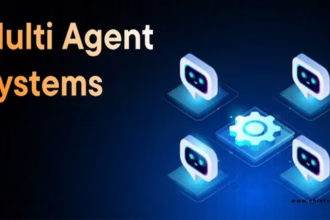
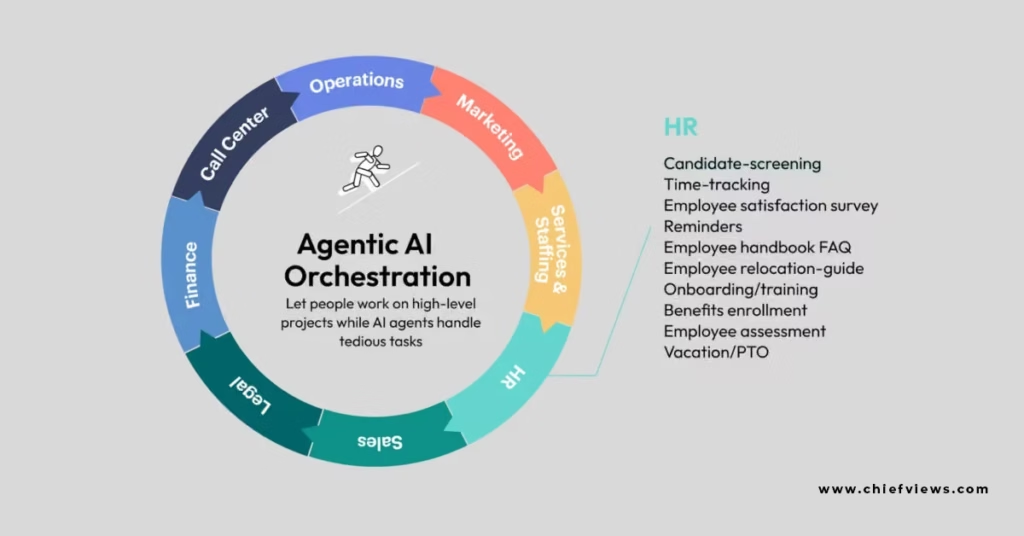
CTO guide to autonomous agentic AI orchestration starts with a blunt question: who’s in charge when software decides for itself? Agents now plan, call tools, and hand work to each other. Orchestration is the layer that keeps all of that on the rails.
- What it is: The coordination layer that routes tasks between AI agents, tools, data, and humans.
- Why it matters: One agent is a demo. Five agents without coordination is an outage waiting to happen.
- Who owns it: You do. The CTO sets the architecture, risk limits, and budget.
- Where to start: One narrow workflow, tight permissions, and a human approval step.
What a CTO Guide to Autonomous Agentic AI Orchestration Covers
Strip away the buzzwords and orchestration is traffic control. Picture air traffic control at a busy airport. Pilots fly the planes, but the tower decides who lands, who waits, and who gets rerouted when weather rolls in. Your agents are the pilots. Orchestration is the tower.
Here’s the thing: most teams skip the tower. They wire up a clever agent, it works in a sandbox, and they ship it. Then a second agent shows up, then a third, and nobody can say which one touched the customer database at 2 a.m.
Orchestration answers four questions:
- Who does what? Task routing and role assignment.
- Who can touch what? Permissions and tool access.
- What happens when something breaks? Retries, fallbacks, and escalation.
- How do we know it worked? Logging, evaluation, and audit trails.
Agents vs. Workflows vs. Chatbots
These three get lumped together constantly. They shouldn’t be.
A chatbot answers questions. A workflow follows a fixed script: step one, step two, step three. An agent gets a goal and figures out the steps itself, picking tools along the way. Autonomy is the difference, and autonomy is exactly why you need orchestration.


In my experience, roughly half of the “agent” projects I’ve reviewed are really workflows in a trench coat. That’s not an insult. Workflows are cheaper, more predictable, and easier to audit. If a fixed script solves the problem, use the script.
The Core Layers of Agentic Orchestration
Every serious setup has the same moving parts, whatever vendor logos sit on top. Knowing the layers lets you ask better questions in vendor meetings.
| Layer | What It Does | Typical Owner | Biggest Risk If Ignored |
|---|---|---|---|
| Planner / Router | Breaks goals into tasks and assigns them to agents | Platform engineering | Agents loop or duplicate work |
| Tool & Data Access | Connects agents to APIs, databases, and internal systems | Integration / security | Over-permissioned agents leak or alter data |
| Memory & State | Stores context between steps and sessions | Data engineering | Stale or poisoned context drives bad decisions |
| Guardrails & Policy | Enforces limits, approvals, and compliance rules | Security / legal / CTO office | Unreviewed actions reach customers |
| Observability & Evals | Traces, scores, and audits every agent action | SRE / ML ops | Failures stay invisible until a customer complains |
The tool access layer deserves special attention. Open standards such as the Model Context Protocol are gaining traction as a common way for agents to connect to tools and data sources. That matters because a shared protocol means less custom glue code and less vendor lock-in. It also means you need to know exactly which servers your agents are allowed to talk to.
Step-by-Step Action Plan: CTO Guide to Autonomous Agentic AI Orchestration for Beginners
New to this? Don’t start with a platform purchase. Start with a problem.
Step 1: Pick One Boring, High-Volume Workflow
Look for work that’s repetitive, rule-heavy, and low in catastrophic risk. Think ticket triage, invoice matching, or internal IT requests. Skip anything that moves money or touches regulated data on day one.
Step 2: Map the Human Version First
Write down how a person does it today. Every decision, every system they log into, every exception they escalate. If you can’t describe the process on a whiteboard, an agent can’t run it either.
Step 3: Define Autonomy Levels
Not every action deserves the same freedom. Here’s a simple scale I’d use:
- Level 0: Agent suggests, human does.
- Level 1: Agent acts, human approves each action.
- Level 2: Agent acts alone within strict limits, human reviews samples.
- Level 3: Agent acts alone, human handles exceptions only.
Start at Level 1. Earn your way up with data.
Step 4: Lock Down Permissions
Give each agent its own identity and the narrowest access that gets the job done. Never let agents share credentials. When something goes sideways, you need to know exactly which one did it.
Step 5: Build Observability Before Scale
Log every plan, every tool call, and every outcome. If you can’t replay an agent’s decision after the fact, you can’t debug it, defend it, or improve it.
Step 6: Run a Shadow Period
Let the agent work alongside humans for a few weeks without acting on its own. Compare its output to the human output. Fix the gaps, then promote it one autonomy level at a time.
Guardrails in Your CTO Guide to Autonomous Agentic AI Orchestration
Governance isn’t the part where you slow everyone down. It’s the part that lets you move faster without a 3 a.m. phone call.
The NIST AI Risk Management Framework is the U.S. reference point here. It’s voluntary, but it gives you a shared vocabulary for mapping, measuring, and managing AI risk, and it translates cleanly into agent policies. Your legal and compliance teams will probably recognize it, which saves you a few painful meetings.
What I’d do if I were setting this up from scratch: write a one-page “agent charter” for every deployment. It lists the agent’s purpose, the systems it can touch, the actions that always need human sign-off, and the kill switch. One page. If it takes ten, the scope is too big.
Don’t treat guardrails as a one-time checklist, either. Agents change as models update, prompts drift, and tools get added. Review the charter on a schedule, the same way you’d review access rights for a new hire’s second quarter.
Common Mistakes & How to Fix Them
Most failures I’ve seen aren’t technical. They’re decisions made too fast.
Mistake 1: Starting with a multi-agent swarm.
It looks impressive in a keynote. In production, it multiplies failure points. Fix: Prove a single agent first, then add a second only when a clear handoff justifies it.
Mistake 2: Skipping the evaluation set.
Teams eyeball outputs and call it good. Fix: Build a test set of real cases, including ugly edge cases, and score every release against it.
Mistake 3: Giving agents broad, shared credentials.
Convenient today, a forensic nightmare tomorrow. Fix: One identity per agent, least-privilege access, and automatic credential rotation.
Mistake 4: Ignoring cost per task.
Agents that reason in loops can burn tokens fast. Fix: Set budget caps per task and alert when a run exceeds them.
Mistake 5: Chasing hype over ROI.
Gartner has publicly predicted that over 40% of agentic AI projects will be canceled by the end of 2027, citing rising costs, unclear business value, and weak risk controls. That’s a forecast, not a certainty. But it’s a useful warning. Fix: Tie every agent to one measurable business outcome before you write a line of code.
Measuring Success in Autonomous Agentic AI Orchestration
How do you know it’s working? Pick a short list and stick to it. Track task completion rate, human override rate, cost per completed task, and time saved versus the manual process. Add incident count if the agent touches customers.
Skip vanity numbers like “total agent actions.” Volume isn’t value. A smaller number of correct actions beats a mountain of noisy ones every time.
Key Takeaways
- Orchestration is the coordination layer: routing, permissions, memory, guardrails, and observability.
- Use a plain workflow when a script solves the problem. Reserve agents for work that truly needs judgment.
- Start with one low-risk, high-volume process, not a company-wide rollout.
- Grade autonomy in levels, and begin with human approval on every action.
- Give each agent its own identity and the narrowest possible access.
- Log everything. If you can’t replay a decision, you can’t trust it.
- Anchor governance to a recognized framework such as NIST’s AI RMF.
- Tie each agent to one business metric, or expect it to be cut.
Final Thoughts: Start Small, Stay in Control
Agents will keep getting more capable. That part isn’t in doubt. What’s in doubt is whether your organization can steer them. A solid CTO guide to autonomous agentic AI orchestration comes down to a few disciplined habits: narrow scope, least privilege, full visibility, and earned autonomy.
Your next step is simple. This week, pick one repetitive workflow, write its one-page agent charter, and run it in shadow mode. You’ll learn more from that single experiment than from any vendor demo.
FAQs
What’s the difference between agentic AI and traditional automation?
Traditional automation follows fixed rules. Agentic AI pursues a goal and picks its own steps and tools. Any CTO guide to autonomous agentic AI orchestration comes back to that difference, because autonomy brings flexibility and unpredictability in the same package.
Do I need a dedicated orchestration platform to get started?
No. Many teams begin with an open-source framework or their cloud provider’s tooling and a single agent. Buy a platform once you have multiple agents and real governance needs, not before.
Who should own agent oversight inside the company?
Shared ownership works best. Engineering runs the systems, security controls access, legal and compliance set the rules, and the CTO ties it together. Following a CTO guide to autonomous agentic AI orchestration means naming one accountable owner per agent, so nothing falls between teams.

