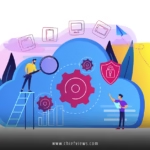






Digital workplace transformation strategies for CIOs have become the cornerstone of successful business modernization in 2026. This comprehensive shift involves reimagining how technology, people, and processes work together to create seamless, productive work environments that support hybrid teams and digital-first operations.
Here’s what every CIO needs to know:
- Technology Integration: Unifying cloud platforms, collaboration tools, and security frameworks into a cohesive ecosystem
- Employee Experience: Designing intuitive interfaces and workflows that boost productivity and satisfaction
- Cultural Change: Leading organizational shifts toward data-driven decision-making and digital collaboration
- Security Architecture: Building zero-trust frameworks that protect distributed workforces without hampering productivity
- Measurable Outcomes: Establishing clear metrics for ROI, user adoption, and business impact
Let’s break down exactly how to build and execute these strategies without getting lost in the technical weeds.
Understanding the Core Components of Digital Workplace Transformation
Think of digital workplace transformation like renovating a house while people are still living in it. You can’t just rip everything out and start over. You need a thoughtful plan that maintains operations while upgrading each room systematically.
The foundation starts with three pillars: infrastructure modernization, user experience design, and change management. Infrastructure gives you the pipes and wiring. User experience determines how people interact with your systems. Change management ensures everyone actually uses what you build.
Most transformation failures happen because CIOs focus too heavily on the technology side and underestimate the human element. Your shiniest new platform means nothing if employees find workarounds or stick to legacy processes.
Infrastructure Modernization Priorities
Cloud-first architecture remains non-negotiable in 2026. But here’s what I see working best: hybrid approaches that give you flexibility without vendor lock-in. Start with your most painful legacy systems and create clear migration timelines.


API-first design lets you connect everything without custom integrations falling apart every time someone sneezes. Identity management becomes your central nervous system—get this wrong and everything else crumbles.
Network infrastructure needs to support remote work as the default, not an exception. SD-WAN solutions have matured significantly, making it easier to provide consistent performance regardless of location.
Strategic Planning: Building Your Digital Workplace Transformation Roadmap
Every successful transformation starts with honest assessment. Where are you now? Where do you need to be? What’s the realistic timeline?
I recommend starting with a pilot program rather than boiling the ocean. Pick one department or use case where you can demonstrate clear value quickly. Success breeds success, and you’ll need internal champions to drive adoption across the organization.
Your roadmap should span 18-36 months with quarterly milestones. Anything shorter doesn’t give you time to handle unexpected challenges. Anything longer loses momentum and budget support.
Budget for 20% more than your initial estimates. Digital transformations always uncover hidden complexity, and you’ll want flexibility to address issues without derailing the entire project.
Phase 1: Foundation (Months 1-6)
Assessment and planning dominate this phase. Catalog existing systems, identify integration points, and document current workflows. This groundwork prevents costly mistakes later.
Security assessment becomes critical here. You’re about to expose more systems to more users in more locations. NIST’s Cybersecurity Framework provides excellent guidance for establishing baseline security requirements.
Stakeholder alignment meetings might feel tedious, but they’re essential. Get department heads to agree on priorities and success metrics before you start building anything.
Phase 2: Core Platform Implementation (Months 7-18)
This phase focuses on your primary collaboration and productivity platforms. Microsoft 365, Google Workspace, or similar ecosystems typically anchor these implementations.
Integration work happens here—connecting HR systems, project management tools, and department-specific applications into a coherent workflow. APIs make this possible, but don’t underestimate the configuration complexity.
Training programs launch during this phase. Adult learners need hands-on practice, not just documentation. Plan for multiple training sessions and ongoing support resources.
Phase 3: Advanced Capabilities (Months 19-36)
AI-powered tools, advanced analytics, and automation workflows get introduced once your foundation stabilizes. These capabilities deliver significant productivity gains but require mature underlying systems.
Mobile-first experiences become standard during this phase. Your remote workers need full functionality from tablets and smartphones, not just read-only access.
Advanced security features like behavioral analysis and automated threat response get implemented once you have baseline security controls working effectively.
Technology Stack Selection and Integration
| Platform Category | Primary Function | Integration Priority | Implementation Complexity |
|---|---|---|---|
| Collaboration Suite | Communication, file sharing | High | Medium |
| Identity Management | Single sign-on, access control | Critical | High |
| Cloud Infrastructure | Computing, storage, networking | High | High |
| Security Platform | Threat detection, compliance | Critical | High |
| Analytics Tools | Business intelligence, reporting | Medium | Medium |
| Automation Platform | Workflow optimization | Medium | Low |
Platform selection requires balancing functionality, cost, and integration complexity. Enterprise vendors offer comprehensive solutions but come with higher costs and vendor lock-in risks.
Best-of-breed approaches give you more flexibility but require more integration work. Hybrid strategies often work well—use enterprise platforms for core functions and specialized tools for specific needs.
Overcoming Common Implementation Challenges
User resistance tops the list of transformation killers. People fear change, especially when it affects their daily work routines. Combat this with early involvement, clear communication about benefits, and gradual rollouts that don’t overwhelm users.
Technical debt creates hidden obstacles. Legacy systems rarely integrate cleanly with modern platforms. Budget time and resources for data migration, custom APIs, and temporary bridging solutions.
Scope creep happens when stakeholders see initial progress and want to add “just one more feature.” Establish change control processes early and stick to them. Additional requirements can wait for the next phase.
Budget overruns occur when you underestimate integration complexity or discover unexpected technical requirements. Maintain contingency funds and regular budget reviews to catch issues early.
Common Mistake: Neglecting Change Management
Technology adoption fails without proper change management. Users need training, support, and incentives to adopt new workflows. Plan for this from day one, not as an afterthought.
Fix: Allocate 30-40% of your project budget to change management activities. Include training, communication, and ongoing support resources in your initial planning.
Common Mistake: Underestimating Security Requirements
Modern digital workplaces create new attack surfaces and compliance requirements. Security can’t be bolted on after implementation.
Fix: Include security architects in your planning team from the beginning. Design security controls into your workflows rather than adding them as barriers later.
Common Mistake: Ignoring Mobile Experience
Remote work demands mobile-first design. Desktop-only solutions frustrate users and limit adoption.
Fix: Test every workflow on mobile devices during development. If something doesn’t work well on a smartphone, redesign it.

Step-by-Step Action Plan for CIOs
Ready to start? Here’s your practical roadmap:
- Week 1-2: Conduct stakeholder interviews to understand current pain points and desired outcomes
- Week 3-4: Assess existing technology stack and identify integration requirements
- Week 5-6: Research vendor solutions and request demos for shortlisted platforms
- Week 7-8: Develop business case with ROI projections and budget requirements
- Month 3: Secure budget approval and select implementation partner if needed
- Month 4: Begin pilot implementation with selected department or use case
- Month 5-6: Gather pilot feedback and refine implementation approach
- Month 7: Launch enterprise-wide rollout in phases
- Ongoing: Monitor adoption metrics and adjust training/support as needed
Each step builds on the previous one. Don’t skip ahead or you’ll miss critical requirements that surface during discovery.
Measuring Success: KPIs and ROI Metrics
Numbers don’t lie, but they can mislead if you measure the wrong things. Focus on metrics that directly connect to business outcomes, not just technology performance.
User adoption rates tell you whether people actually use what you built. Aim for 80%+ active usage within six months of rollout. Lower adoption suggests training gaps or design problems.
Productivity metrics require baseline measurements before transformation begins. Track things like time to complete common tasks, collaboration frequency, and project completion rates.
Cost reduction opportunities emerge from reduced software licensing, hardware maintenance, and support overhead. Calculate these savings against transformation costs to demonstrate ROI.
Security incident reduction provides another measurable benefit. Modern platforms typically offer better security controls than legacy systems, but you need baseline measurements to prove improvement.
Employee Experience Metrics
Net Promoter Score (NPS) surveys reveal how employees feel about their digital work experience. Quarterly surveys help track improvement trends and identify problem areas.
Support ticket volume and resolution times indicate how well your new systems actually work. Increasing ticket volume might suggest training gaps or usability problems.
MIT’s research on digital workplace satisfaction consistently shows correlation between technology satisfaction and overall job satisfaction. Happy employees with good tools tend to stay longer and produce better work.
Future-Proofing Your Digital Workplace Strategy
Technology changes fast, but smart architecture choices help you adapt without starting over. API-first design, modular platforms, and cloud-native approaches give you flexibility for future updates.
Artificial intelligence integration will continue expanding throughout 2026 and beyond. Plan for AI capabilities in your platform selection, even if you don’t implement them immediately.
Sustainability concerns increasingly influence technology decisions. The EPA’s ENERGY STAR program provides guidelines for energy-efficient IT infrastructure that reduces both costs and environmental impact.
Regulatory compliance requirements continue evolving, especially around data privacy and security. Choose platforms with strong compliance frameworks rather than retrofitting compliance later.
Key Takeaways
- Start with pilot programs to demonstrate value before enterprise-wide rollouts
- Allocate significant resources to change management and user training
- Choose platforms that integrate well rather than trying to connect everything custom
- Measure business outcomes, not just technology metrics
- Plan for mobile-first experiences from the beginning
- Include security requirements in initial design rather than adding them later
- Budget 20% more than initial estimates for unexpected complexity
- Focus on user experience to drive adoption and satisfaction
Common Mistakes to Avoid
Mistake: Trying to implement everything at once Fix: Phase your rollout with clear milestones and success criteria for each phase
Mistake: Choosing technology before understanding user needs Fix: Conduct thorough user research and requirements gathering before evaluating vendors
Mistake: Ignoring legacy system integration requirements Fix: Map all existing systems and plan integration approaches during initial assessment
Mistake: Underestimating training requirements Fix: Plan for multiple training sessions, documentation, and ongoing support resources
Mistake: Focusing only on cost savings rather than productivity gains Fix: Measure and communicate both cost reduction and productivity improvements
Conclusion
Digital workplace transformation strategies for CIOs succeed when you balance technology capabilities with human needs. The platforms matter, but your approach to implementation and adoption determines whether transformation delivers real business value.
Start small, measure everything, and keep users at the center of every decision. Technology serves people, not the other way around.
Your next step? Pick one pain point your organization faces and design a pilot program to address it. Success with small projects builds credibility for larger transformations.
The best transformation strategy is the one you actually execute.
Frequently Asked Questions
Q: How long should digital workplace transformation strategies for CIOs typically take to implement?
A: Most comprehensive transformations require 18-36 months, but you should see measurable improvements from pilot programs within 3-6 months. Timeline depends on organization size and complexity of existing systems.
Q: What’s the biggest factor that determines transformation success or failure?
A: User adoption. Technical implementation usually works, but getting employees to change their workflows and embrace new tools makes or breaks the entire project. Invest heavily in change management.
Q: Should we build custom solutions or buy enterprise platforms?
A: Buy platforms for core functions like collaboration, security, and productivity. Build custom solutions only for unique business processes that provide competitive advantage. Integration costs usually outweigh custom development benefits.
Q: How do we justify the ROI of digital workplace transformation to executive leadership?
A: Focus on measurable productivity gains, cost reduction from legacy system retirement, and improved employee retention. Quantify time savings from automated workflows and reduced IT support overhead.
Q: What’s the most common reason digital workplace transformation strategies for CIOs fail?
A: Insufficient change management. Organizations often spend 80% of their budget on technology and 20% on helping people adapt. Successful transformations flip this ratio, investing heavily in training, communication, and user support.