





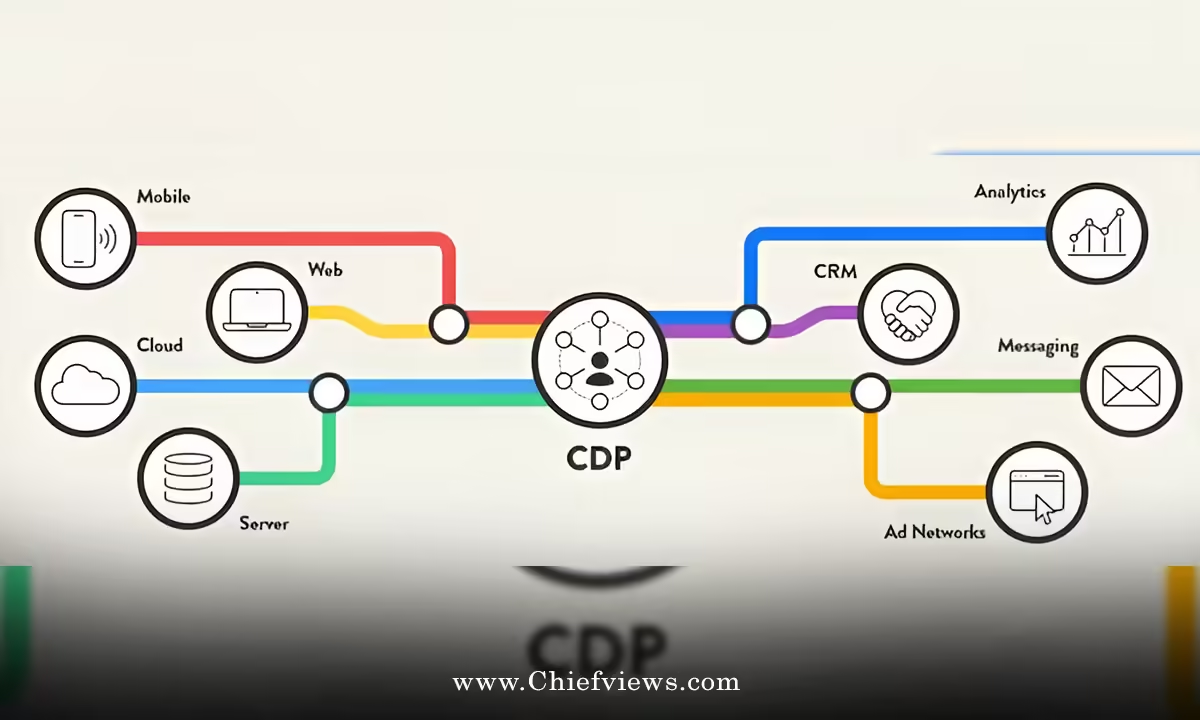
Setting up a Unified Customer Data Platform (CDP) isn’t just tech infrastructure. It’s the foundation that powers everything from segmentation to how CMOs can leverage generative AI for hyper-personalized customer campaigns 2026. Without clean, unified customer data, AI personalization falls flat—your models choke on duplicates, outdated emails, and fragmented profiles.
Get this right, and your marketing team operates with surgical precision. Mess it up? Campaigns waste budget on bad data. I’ve seen teams burn $100K+ quarterly on emails that never deliver because their CDP setup was half-baked.
Why a Unified CDP Matters in 2026
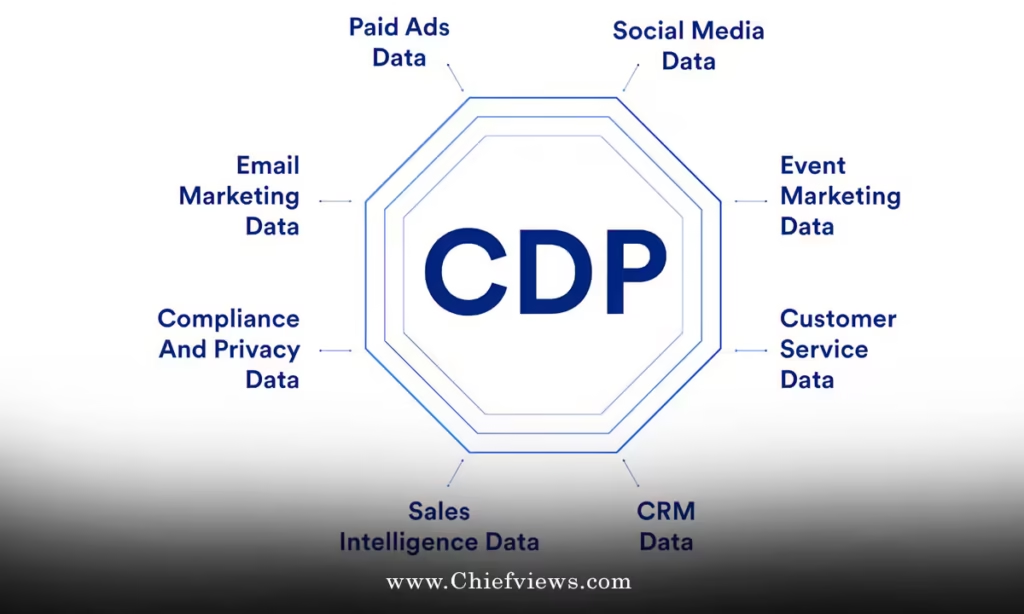
Customers interact across 8–12 touchpoints before buying. Email. Website. App. Social. Ads. Support chats. Each generates data. Siloed systems scatter this intel—CRM misses web behavior, marketing automation lacks purchase history, analytics can’t tie it to individuals.
A Unified CDP solves this. It ingests data from everywhere, matches it to persistent customer identities, and serves a 360-degree profile ready for activation. Result? Marketing that’s relevant, timely, and profitable.
The payoff is real. Teams with mature CDPs see 2–3x higher campaign ROI because they know their customers as individuals, not averages.



Unified Customer Data Platform (CDP) Setup Guide: Step-by-Step Blueprint
Step 1: Define Your Data Objectives (Days 1–3)
Don’t buy a CDP first. Start with why.
Ask:
- What campaigns need better data? (Abandoned cart recovery? Welcome series? Upsell?)
- Which KPIs will improve? (Conversion rate? CAC? LTV?)
- What data gaps hurt most? (Missing purchase history? No web behavior? Duplicate profiles?)
Document your top 3 use cases. Example: “Power AI personalization for email campaigns” or “Enable cross-channel journey orchestration.”
Pro tip: If [how CMOs can leverage generative AI for hyper-personalized customer campaigns 2026] is on your roadmap, prioritize use cases that feed customer profiles for AI models.
Step 2: Inventory Your Data Sources (Days 4–7)
Map everything. Be ruthless.
Core sources to include:
- CRM (Salesforce, HubSpot)
- Marketing automation (Klaviyo, Marketo)
- E-commerce platform (Shopify, BigCommerce)
- Website analytics (Google Analytics 4, Adobe Analytics)
- Advertising platforms (Google Ads, Meta Ads)
- Customer support (Zendesk, Intercom)
- Offline data (POS systems, loyalty programs)
For each:
- What data do you collect? (Emails, purchases, page views?)
- Data quality? (Duplicates? Missing fields?)
- Volume? (How many records?)
- Export format? (CSV, API?)
Output: A spreadsheet with source, data types, quality score (1–10), and integration feasibility.
Step 3: Choose Your CDP (Days 8–14)
Not all CDPs are equal. Match to your maturity and budget.
| CDP Category | Best For | Examples | Monthly Cost (Mid-Market) | Setup Complexity |
|---|---|---|---|---|
| Enterprise | Large teams, complex needs | Segment, Tealium, Adobe Experience Platform | $20K–$100K+ | High (6–12 months) |
| Marketing-Focused | Email/SMS personalization, AI-ready | Klaviyo, Insider, Bluecore | $2K–$15K | Medium (4–8 weeks) |
| Growth/Mid-Market | Balanced features, fast ROI | Hightouch, RudderStack, mParticle | $1K–$8K | Low (2–6 weeks) |
| Starter/Open Source | Small teams, custom needs | Snowplow, RudderStack OSS | $500–$3K (cloud) | High (DIY) |
My pick for most marketers: Klaviyo or Hightouch. They’re AI-native, marketing-first, and deliver ROI in 90 days.
Criteria checklist:
- Native identity resolution (stitches profiles automatically)
- Real-time data activation (not batch-only)
- AI/ML capabilities (segmentation, predictions)
- Pre-built integrations for your stack
- Compliance features (GDPR, CCPA consent management)
Step 4: Clean and Prepare Data (Weeks 3–6)
This is where 80% of CDP projects fail. Skip it, and your “unified” data is garbage.
Critical cleanup tasks:
- Deduplication: Merge duplicate profiles (same email/phone across sources)
- Standardization: Normalize formats (US vs. UK addresses, phone formats)
- Enrichment: Add missing data (geolocation from IP, company from domain)
- Validation: Remove bounces, invalid emails, bad phone numbers
- Historical backfill: Import 12–24 months of past data
Tools: Built-in CDP cleaners or specialists like LiveRamp, TowerData.
Timeline: 4 weeks minimum. Budget $10K–$50K for complex datasets.
Step 5: Implement Identity Resolution (Weeks 7–8)
The CDP’s secret sauce. How it knows “John Smith, john@email.com” from website = “John Smith, (555)123-4567” from CRM.
Key settings:
- Primary identifiers: Email, phone (normalized)
- Secondary: Name + zip code, device ID, cookie ID
- Confidence thresholds: Only merge profiles above 85% match probability
- Manual review queue: Flag edge cases for human decision
Test on 10K profiles first. Expect 20–40% profile consolidation (fewer duplicates = richer profiles).
Step 6: Connect Data Sources (Weeks 9–10)
Integrate one source at a time. Test thoroughly.
Integration priority:
- CRM + E-commerce (revenue data)
- Website analytics (behavior)
- Marketing automation (engagement)
- Ads + Support (later rounds)
For each:
- Map fields (e.g., Shopify “customer_email” → CDP “email”)
- Set sync frequency (real-time for web, hourly for CRM)
- Validate data flow (spot-check 100 records)
Watch for: Rate limits, API downtime, field mismatches.
Step 7: Build and Test Customer Profiles (Weeks 11–12)
Create sample profiles. Verify completeness.
Ideal profile contains:
John Smith
Email: john@email.com | Phone: (555)123-4567
First Purchase: 2025-03-15 ($89.99, running shoes)
Total Spend: $247.32 (3 orders)
Last Web Session: 2026-04-28 (browsed jackets, 12min)
Email Opens: 78% | Preferred Time: 8AM Wed
Predicted LTV: $1,200 (next 12mo)
Segments: High-value runner, Fall upsell target
Test activation: Can you send a personalized email to this profile? Does it include purchase history and web behavior?
Step 8: Launch and Monitor (Week 13+)
Go live with one use case. Monitor daily.
Dashboards to build:
- Data freshness (lag time per source)
- Profile completeness (% with email + phone + purchase)
- Merge rate (% of visitors matched to known profiles)
- Data quality scores
Weekly reviews first month. Adjust mappings, fix breaks.
Unified Customer Data Platform (CDP) Setup Guide: Common Pitfalls and Fixes
Pitfall 1: Scope Creep
Problem: You try to integrate everything Day 1. Project drags 6 months.
Fix: Launch MVP with 3 sources max. Add others quarterly.
Pitfall 2: Underestimating Data Quality
Problem: “Our data is fine.” It’s not. 30% duplicates kill AI accuracy.
Fix: Budget 20% of project for cleansing. Hire experts if needed.
Pitfall 3: Poor Identity Resolution
Problem: CDP creates ghost profiles or smashes unrelated customers together.
Fix: Start conservative (high match thresholds). Tune based on results.
Pitfall 4: No Governance
Problem: Teams add custom fields everywhere. CDP becomes chaos.
Fix: Appoint a data steward. Require approval for new fields/sources.
Pitfall 5: Ignoring Compliance
Problem: GDPR fines or customer backlash from mishandled consent.
Fix: Implement consent management from Day 1. Map every data point to legal basis.
CDP ROI Timeline and Metrics
| Month | Milestone | Expected Metrics |
|---|---|---|
| 1–2 | Data integration + cleanup | 80% profile completeness, <5% duplicates |
| 3–4 | First campaigns activate | 10–20% conversion lift vs. pre-CDP |
| 5–6 | AI personalization live | 25–40% lift, CAC down 15–25% |
| 7–12 | Full optimization | 2–3x campaign ROI, LTV +30% |
Real numbers: Gartner reports enterprises with mature CDPs achieve 2.9x marketing ROI vs. 1.6x for non-CDP users.
Key Takeaways: Unified Customer Data Platform (CDP) Setup Guide
• Success = data quality first. Spend 40% of budget/time on cleaning before activation
• Start with 3 use cases max. Power specific campaigns (AI personalization, abandoned cart) not “everything”
• Identity resolution is make-or-break. Poor matching = wasted spend on incomplete profiles
• Budget realistically: $50K–$250K Year 1 (platform + setup + cleanup) for mid-market
• Compliance isn’t optional. Map consent for every data point from launch
• Measure profile completeness daily. Target 85%+ profiles with email + purchase + behavior
• MVP timeline: 12–16 weeks. Don’t let perfection delay progress
Once your CDP hums, the real fun begins. Feed those rich profiles into AI models and watch campaigns convert like never before.
Pick your top use case today. Audit your data tomorrow. Revenue follows.
Frequently Asked Questions
Q: How long does Unified Customer Data Platform (CDP) setup really take?
A: 12–16 weeks for a solid MVP if you stay disciplined. Enterprise implementations stretch to 6–12 months with scope creep. Focus on 3 data sources + 2 use cases first. Scale later.
Q: Do I need a data scientist for CDP setup?
A: No, for most marketing teams. Modern CDPs are no-code/low-code. Hire consultants for initial data cleanup if your stack is messy. Internal marketing ops can handle ongoing maintenance.
Q: What’s the minimum viable CDP budget?
A: $2K/month platform + $20K–$50K setup (cleanup + integrations) for mid-market. Skip data cleansing? You’ll waste more fixing downstream issues.