Customer experience metrics dashboard setup transforms scattered data points into actionable insights that drive real business decisions. This centralized approach gives leadership teams instant visibility into customer satisfaction, journey performance, and experience trends across all touchpoints.
Here’s what effective dashboard setup delivers:
- Real-time visibility into customer satisfaction trends
- Unified view of experience metrics across all departments
- Faster identification of customer pain points and opportunities
- Data-driven decision making for experience improvements
- Clear ROI tracking for customer experience investments
The right dashboard doesn’t just display numbers—it tells the story of your customer experience and guides strategic decisions that improve both satisfaction and business outcomes.
What Is Customer Experience Metrics Dashboard Setup?
Customer experience metrics dashboard setup is the process of creating a centralized, visual system that tracks, displays, and analyzes key customer experience indicators in real-time. Think of it as your experience command center.
But here’s the thing: most companies get this wrong. They either create dashboards that look impressive but provide no actionable insights, or they build overly complex systems that nobody actually uses.
The sweet spot? A dashboard that gives you the critical information you need to make decisions, without overwhelming you with data noise.


Core Components of Effective CX Dashboards
Data Integration Layer Connects customer feedback systems, operational metrics, and business outcomes into one coherent view.
Visualization Engine Transforms raw data into charts, graphs, and alerts that make sense at a glance.
Alert System Notifies stakeholders when metrics hit predetermined thresholds requiring immediate attention.
Reporting Framework Generates automated reports for different audiences, from executives to front-line managers.
Essential CX Metrics to Track in 2026
Not all metrics deserve dashboard real estate. Focus on these proven indicators that directly correlate with business outcomes and customer behavior.
Tier 1: Critical Business Metrics
Net Promoter Score (NPS) The gold standard for measuring customer loyalty and likelihood to recommend.
- Track monthly trends
- Segment by customer type, product, or service area
- Monitor score distribution, not just averages
Customer Satisfaction Score (CSAT) Measures immediate satisfaction with specific interactions or touchpoints.
- Track across different channels (phone, email, chat, in-person)
- Monitor transaction-specific satisfaction
- Correlate with operational metrics
Customer Effort Score (CES) Measures how easy it is for customers to accomplish their goals.
- Focus on high-volume processes (onboarding, support, purchasing)
- Track effort reduction over time
- Identify friction points requiring attention
Tier 2: Operational Excellence Metrics
First Contact Resolution Rate Percentage of customer issues resolved in the initial interaction.
Average Response Time Time between customer inquiry and first response across all channels.
Customer Churn Rate Percentage of customers who stop doing business with you over a specific period.
Customer Lifetime Value (CLV) Total revenue expected from a customer throughout their relationship with your company.
Tier 3: Leading Indicators
Website/App Performance Metrics Page load times, error rates, and conversion funnel performance.
Social Media Sentiment Brand perception trends across social platforms.
Employee Experience Scores Employee satisfaction directly impacts customer experience delivery.
The key is starting with Tier 1 metrics and expanding thoughtfully based on what drives decisions in your organization.
Platform Comparison: Choosing Your Dashboard Solution
The platform you choose depends on your technical capabilities, budget, and integration requirements. Here’s what works in 2026.
Enterprise Solutions
Salesforce Experience Cloud
- Best for: Large organizations already using Salesforce ecosystem
- Strengths: Deep CRM integration, robust customization options
- Considerations: Higher cost, requires technical expertise
Microsoft Power BI
- Best for: Organizations using Microsoft business tools
- Strengths: Excellent Excel integration, strong visualization capabilities
- Considerations: Learning curve for advanced features
Tableau
- Best for: Data-heavy organizations needing complex analysis
- Strengths: Powerful visualization engine, handles large datasets well
- Considerations: Expensive, overkill for simple dashboard needs
Mid-Market Solutions
Klipfolio
- Best for: Growing companies needing flexible, affordable dashboards
- Strengths: Easy setup, good pre-built templates
- Considerations: Limited advanced analytics features
Geckoboard
- Best for: Teams wanting simple, clean dashboard displays
- Strengths: Beautiful visualizations, easy team sharing
- Considerations: Limited data transformation capabilities
Budget-Friendly Options
Google Data Studio (Looker Studio)
- Best for: Small businesses with basic dashboard needs
- Strengths: Free, integrates well with Google ecosystem
- Considerations: Limited customization, can be slow with large datasets
Zoho Analytics
- Best for: Small to medium businesses using Zoho products
- Strengths: Affordable, good integration with Zoho suite
- Considerations: Interface feels dated, limited advanced features
Step-by-Step Dashboard Setup Guide
Ready to build your customer experience metrics dashboard setup? Follow this proven methodology that prevents common pitfalls and ensures adoption.
Phase 1: Foundation Setting (Week 1-2)
Step 1: Define Your Objectives
- Identify the top 3 business questions your dashboard must answer
- Determine who will use the dashboard and how often
- Establish success criteria for the dashboard project
Step 2: Audit Your Data Sources
- List all systems containing customer experience data
- Assess data quality and consistency across sources
- Identify integration requirements and technical constraints
Step 3: Select Initial Metrics Start with 5-8 core metrics maximum. You can always add more later, but starting simple increases adoption rates.
Phase 2: Technical Implementation (Week 3-6)
Step 4: Set Up Data Connections
- Connect your chosen platform to primary data sources
- Test data flows and validate accuracy
- Set up automated data refresh schedules
Step 5: Design Initial Views
- Create executive summary view (high-level trends)
- Build operational view (daily metrics for managers)
- Design drill-down capabilities for detailed analysis
Step 6: Configure Alerts and Notifications
- Set threshold alerts for critical metrics
- Create automated reports for key stakeholders
- Test notification systems before go-live
Phase 3: Launch and Adoption (Week 7-8)
Step 7: Conduct User Training
- Train dashboard users on navigation and interpretation
- Provide quick reference guides and documentation
- Schedule follow-up sessions for questions and refinement
Step 8: Monitor Usage and Gather Feedback
- Track dashboard usage patterns in first month
- Collect user feedback on functionality and usefulness
- Make initial adjustments based on real-world usage
Phase 4: Optimization (Ongoing)
Regular Review Cycles
- Monthly: Review metric relevance and accuracy
- Quarterly: Assess new data source integration opportunities
- Annually: Evaluate platform performance and consider upgrades
Common Dashboard Setup Mistakes (and How to Avoid Them)
Even experienced teams make predictable errors when setting up customer experience dashboards. Here’s how to sidestep the big ones.
Mistake 1: Metric Overload
The Problem: Trying to track everything results in dashboards nobody uses.
The Fix: Follow the “Rule of Seven”—never display more than seven key metrics on a single dashboard view. Create separate views for different audiences rather than cramming everything onto one screen.
Mistake 2: Vanity Metrics Focus
The Problem: Tracking metrics that look impressive but don’t drive decisions.
The Fix: For every metric, ask: “If this number changed significantly, what specific action would we take?” If you can’t answer clearly, consider removing that metric.
Mistake 3: Poor Data Quality
The Problem: Inconsistent or inaccurate data undermines trust in the entire dashboard.
The Fix: Invest time upfront in data cleaning and validation. Build automated quality checks that flag unusual patterns or missing data before they reach the dashboard.
Mistake 4: Static Design
The Problem: Creating dashboards that can’t evolve with business needs.
The Fix: Design with flexibility in mind. Use modular layouts that allow easy addition or removal of metrics as priorities change.
Mistake 5: Ignoring Mobile Access
The Problem: Dashboards that only work well on desktop computers limit executive and field team access.
The Fix: Test dashboard functionality on mobile devices during the design phase. Many platform solutions offer mobile-optimized views.
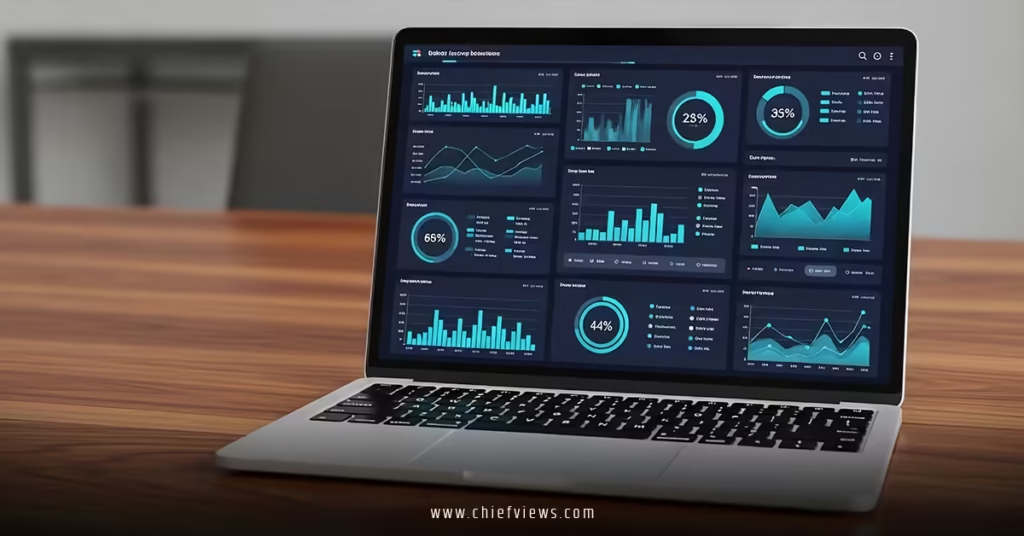
Real-World Dashboard Examples That Work
Here are three proven dashboard configurations that deliver results across different organizational contexts.
Executive Leadership Dashboard
Metrics Displayed:
- Overall NPS trend (last 12 months)
- Customer satisfaction by business unit
- Customer churn rate and revenue impact
- Top 3 customer pain points (updated weekly)
- ROI of experience improvement initiatives
Update Frequency: Weekly Primary Users: C-suite executives, board members Key Feature: Drill-down capability to see regional or product-specific performance
Operations Management Dashboard
Metrics Displayed:
- Daily CSAT scores by channel
- First contact resolution rates
- Average response times
- Agent performance metrics
- Customer effort scores for key processes
- Real-time alert feed for urgent issues
Update Frequency: Real-time Primary Users: Operations managers, team leads Key Feature: Alert system for immediate issue notification
Strategic Planning Dashboard
Metrics Displayed:
- Customer journey stage performance
- Competitive satisfaction benchmarking
- Voice of customer trend analysis
- Experience initiative pipeline and impact
- Customer lifetime value trends
Update Frequency: Monthly Primary Users: Strategy teams, product managers Key Feature: Predictive analytics and trend forecasting
Integration with Leadership Teams
The most successful customer experience metrics dashboard setup initiatives integrate seamlessly with executive decision-making processes. This is where effective CXO collaboration with CMO and COO for seamless experiences becomes crucial for dashboard success.
Making Dashboards Decision-Ready
Link Metrics to Actions Every dashboard view should answer the question: “Based on this data, what should we do differently?”
Provide Context, Not Just Numbers Include benchmarks, targets, and historical context so viewers understand whether current performance is good, bad, or needs attention.
Enable Quick Deep-Dives Executives need the ability to go from high-level trends to specific issues in 2-3 clicks maximum.
Governance and Accountability
Assign Metric Owners Each key metric should have a designated owner responsible for accuracy, interpretation, and action planning.
Regular Review Rhythms Establish consistent schedules for dashboard review in existing meeting cadences rather than creating new meetings.
Decision Documentation Track actions taken based on dashboard insights to demonstrate ROI and refine future decision-making.
The Harvard Business School research on data-driven management shows that companies with strong dashboard governance see 23% better performance on customer experience metrics compared to those with ad-hoc approaches.
Advanced Dashboard Features for 2026
As customer experience analytics mature, these emerging capabilities are becoming table stakes for competitive advantage.
Predictive Analytics Integration
Churn Prediction Models Use historical pattern analysis to identify at-risk customers before they leave.
Satisfaction Forecasting Predict future satisfaction trends based on current operational and market conditions.
Resource Optimization Forecast staffing and resource needs based on expected customer volume and complexity patterns.
AI-Powered Insights
Automated Anomaly Detection AI algorithms that identify unusual patterns and potential issues without manual monitoring.
Natural Language Summaries Automated generation of plain-language insights from complex data patterns.
Recommendation Engines AI-driven suggestions for specific actions based on current performance and historical success patterns.
Real-Time Sentiment Analysis
Social Media Monitoring Live tracking of brand sentiment across social platforms integrated with operational metrics.
Review Site Integration Automated monitoring of customer review sites with alert systems for negative feedback.
Chat and Call Sentiment Real-time analysis of customer communication tone and satisfaction during interactions.
Cost Considerations and ROI Planning
Budgeting for customer experience metrics dashboard setup requires balancing capabilities with realistic cost expectations.
Typical Investment Ranges
| Dashboard Type | Setup Cost | Annual Cost | ROI Timeline |
|---|---|---|---|
| Basic (Google Data Studio) | $2,000-5,000 | $1,000-3,000 | 6-9 months |
| Mid-Market (Klipfolio) | $10,000-25,000 | $8,000-15,000 | 9-12 months |
| Enterprise (Tableau) | $50,000-150,000 | $25,000-75,000 | 12-18 months |
Hidden Costs to Consider
Data Integration Often the largest expense, especially for companies with legacy systems or complex data architectures.
Training and Change Management User adoption requires investment in training, documentation, and ongoing support.
Ongoing Maintenance Plan for data source updates, platform upgrades, and metric refinement over time.
ROI Measurement
Track these indicators to demonstrate dashboard value:
- Time saved in manual reporting and analysis
- Faster identification and resolution of customer issues
- Improved customer satisfaction scores following dashboard implementation
- Increased adoption of data-driven decision making across teams
Key Takeaways
- Start simple: Begin with 5-8 core metrics rather than trying to track everything from day one
- Focus on actionable metrics: Every metric should directly inform specific business decisions or actions
- Invest in data quality: Clean, consistent data is more valuable than comprehensive but unreliable data
- Design for users: Create different views for executives, managers, and front-line teams based on their specific needs
- Plan for mobile access: Ensure dashboard functionality works well on smartphones and tablets
- Build governance early: Establish clear ownership, review schedules, and action protocols from launch
- Integrate with existing processes: Embed dashboard review into current meeting rhythms rather than creating new requirements
- Measure dashboard ROI: Track time savings, decision speed improvements, and business outcome correlations
Your Next Steps
Customer experience metrics dashboard setup isn’t just about technology—it’s about creating a foundation for better decision-making that directly improves customer outcomes and business performance.
Start by identifying your three most critical customer experience questions that need answers. Then choose the simplest platform that can address those questions effectively. Perfect is the enemy of good when it comes to dashboard implementation.
The most successful organizations don’t wait for complete data integration before launching their first dashboard. They start with available data, prove value quickly, and expand systematically.
Your customers are generating experience data right now. The only question is whether you’re capturing and using it to make their lives better.
Get started today. Your future self will thank you.
Frequently Asked Questions
Q: How long does customer experience metrics dashboard setup typically take?
A: For basic dashboards using existing data sources, expect 4-6 weeks from planning to launch. More complex enterprise implementations with multiple data integrations can take 3-6 months, depending on data quality and system complexity.
Q: What’s the most important metric to start with in dashboard setup?
A: Net Promoter Score (NPS) provides the best starting point because it correlates strongly with business outcomes and is relatively easy to collect consistently. Add Customer Satisfaction (CSAT) and Customer Effort Score (CES) as your foundation expands.
Q: Should small businesses invest in customer experience metrics dashboard setup?
A: Absolutely, but start simple. Google Data Studio or basic Zoho Analytics can provide significant value for small businesses at minimal cost. The key is beginning with data-driven customer experience management early, before problems become expensive to fix.
Q: How often should dashboard metrics be updated?
A: Critical operational metrics (CSAT, response times) should update daily or in real-time. Strategic metrics (NPS, CLV) work well with weekly or monthly updates. The update frequency should match how quickly you can act on the information.
Q: What’s the biggest mistake companies make with experience dashboard setup?
A: Trying to track everything instead of focusing on metrics that drive specific actions. Start with 5-8 core metrics that directly inform business decisions, then expand thoughtfully based on proven value and user adoption.