








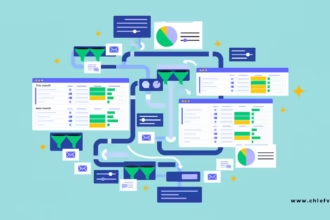
Process mining tools for operations leaders turn the hidden reality of how work actually moves through your systems into clear, actionable maps. Instead of relying on workshops and tribal knowledge, you pull event logs from ERP, CRM, and workflow platforms and see every variant, bottleneck, and rework loop in real time.
This capability sits right at the heart of COO priorities for streamlining processes through automation. Without an accurate picture of the current state, every automation project risks speeding up the wrong steps.
Why Operations Leaders Need Process Mining Right Now
Most COOs still run on assumptions. They know the order-to-cash process “should” take five days. The data often shows it takes twelve—with half the time lost in three invisible handoffs.
Process mining closes that gap. It reconstructs the actual process from system timestamps, case IDs, and activity logs. You see the happy path, the 47 variants that create exceptions, and the exact steps that consume the most capacity.
In my experience, the biggest wins come when leaders treat process mining as the first step in any automation or redesign effort—not an afterthought.


What Process Mining Actually Delivers
- Objective process discovery that replaces months of interviews
- Conformance checking that flags deviations from the designed process in near real time
- Root-cause analysis that ties delays and errors to specific steps, systems, or teams
- Automation opportunity scoring so you know which activities are ripe for bots or AI agents
- Continuous monitoring that turns a one-time project into an ongoing control tower
These insights feed directly into the broader [COO priorities for streamlining processes through automation] by giving you the evidence needed to redesign workflows before you automate them.
Top Process Mining Tools for Operations Leaders in 2026
Gartner’s 2026 Magic Quadrant for Process Intelligence named Celonis, ARIS, Pegasystems, and SAP Signavio as Leaders. Other strong options sit in the mid-market and Microsoft/UiPath ecosystems.
Here’s a practical comparison focused on what operations leaders actually care about:
| Tool | Best For | Key Strength | Typical Fit | Time to First Insight |
|---|---|---|---|---|
| Celonis | Enterprise-scale, multi-system environments | Deep process intelligence + action engine | Large orgs with complex ERP landscapes | 8–16 weeks |
| SAP Signavio | SAP-centric companies | Native SAP integration + process modeling | Heavy SAP users undergoing transformation | 6–12 weeks |
| UiPath Process Mining | Teams already using UiPath automation | Direct path from discovery to bot/agent deployment | Automation-first operations groups | 4–10 weeks |
| Microsoft Power Automate Process Mining | Microsoft 365 and Dynamics shops | Low friction and cost of entry | Mid-market and Microsoft-heavy stacks | 2–6 weeks |
| ARIS | Regulated industries needing strong governance | Process modeling + compliance focus | Finance, healthcare, manufacturing with audit needs | 8–14 weeks |
| Apromore / IBM Process Mining | Mid-market or on-prem requirements | Solid analytics with flexible deployment | Organizations wanting control or lower cost | 4–10 weeks |
Celonis remains the deepest platform when budget and data volume allow. UiPath shines when the end goal is rapid automation. Microsoft’s offering is the fastest way for many teams to start without a major procurement cycle.
How to Choose the Right Tool
Ask three questions:
- Where do your critical processes live? Heavy SAP → Signavio. Microsoft ecosystem → Power Automate. Multi-ERP and high complexity → Celonis.
- What happens after discovery? If you need a tight mine-to-automate pipeline, UiPath or Celonis action engines win. Pure visibility and redesign may favor ARIS or Apromore.
- How clean and accessible is your event-log data? Poor data quality kills any tool. Start with a process that already has solid case IDs and timestamps.

Step-by-Step Action Plan for Operations Leaders
- Select one high-volume, high-pain process (order-to-cash, procure-to-pay, or incident management work well).
- Confirm you can extract clean event logs—case ID, activity name, timestamp, and resource.
- Run a focused pilot with a single accountable process owner and three clear metrics (cycle time, exception rate, cost per case).
- Use the discovery view to strip non-value steps before you talk automation.
- Validate findings with the frontline team—data shows the “what,” people explain the “why.”
- Score automation and redesign opportunities, then hand the cleanest candidates to your automation or AI team.
- Move from one-off analysis to continuous monitoring once the first process is improved.
This sequence keeps the work practical and tied to outcomes rather than tool features.
Common Mistakes and How to Avoid Them
Treating process mining as an IT project.
Operations must own the outcomes. IT enables the data pipeline.
Starting with the messiest process.
Pick a process with decent data quality and visible pain. Early wins build momentum.
Stopping at pretty dashboards.
The value is in the redesign and automation that follows. Schedule action reviews the same week insights appear.
Ignoring data readiness.
Garbage event logs produce garbage maps. Spend the first two weeks cleaning and validating the source data.
Buying the biggest platform for a small problem.
Match tool weight to organizational maturity and scale. Many mid-size teams get excellent results with Microsoft or Apromore before graduating to enterprise platforms.
Key Takeaways
- Process mining tools for operations leaders replace assumptions with evidence drawn from actual system logs
- Use the insights to redesign workflows first—this is a core part of effective COO priorities for streamlining processes through automation
- Match the tool to your system landscape and end goal (visibility, automation, or governance)
- Start with one high-volume process, clean data, and clear ownership
- Treat discovery as the beginning of continuous improvement, not a one-time project
- Frontline validation turns data insights into practical changes people will adopt
- Measure success by cycle-time reduction, exception drop, and capacity freed—not by number of processes mapped
The fastest path to operational clarity is simple: pull the logs, see the real process, fix the waste, then automate what remains. Process mining tools for operations leaders make that sequence measurable and repeatable.
FAQs
Which process mining tools for operations leaders work best with existing automation platforms?
UiPath Process Mining and Celonis offer the tightest connections to bots and AI agents. Microsoft Power Automate Process Mining integrates natively if you already live in the Power Platform.
How long does it take to see value from process mining tools for operations leaders?
A well-scoped pilot on a clean process can surface actionable bottlenecks in 4–8 weeks. Sustained cycle-time and cost improvements usually appear within one to two quarters once redesign and automation follow.
Do process mining tools for operations leaders require perfect data before starting?
No. Start with the process that has the cleanest event logs. Improve data quality in parallel as you expand. Waiting for perfection delays results indefinitely.